Key takeaways
- A pre-built PC is quickest and simplest, but you often pay a premium for cheaper internal parts, proprietary boards and pre-installed bloatware.
- A custom PC (built for you to a spec) gives you standard, high quality parts, no locked-down design, and one person who knows exactly what is inside it.
- Building it yourself can save money, but in 2026 the savings are smaller than usual, and you become your own support desk when something goes wrong.
- RAM, storage and graphics card prices jumped sharply in 2026, so component choice matters more than ever for value.
- For most people in Manchester, a custom PC built locally with real local support is the sweet spot between price, quality and peace of mind.
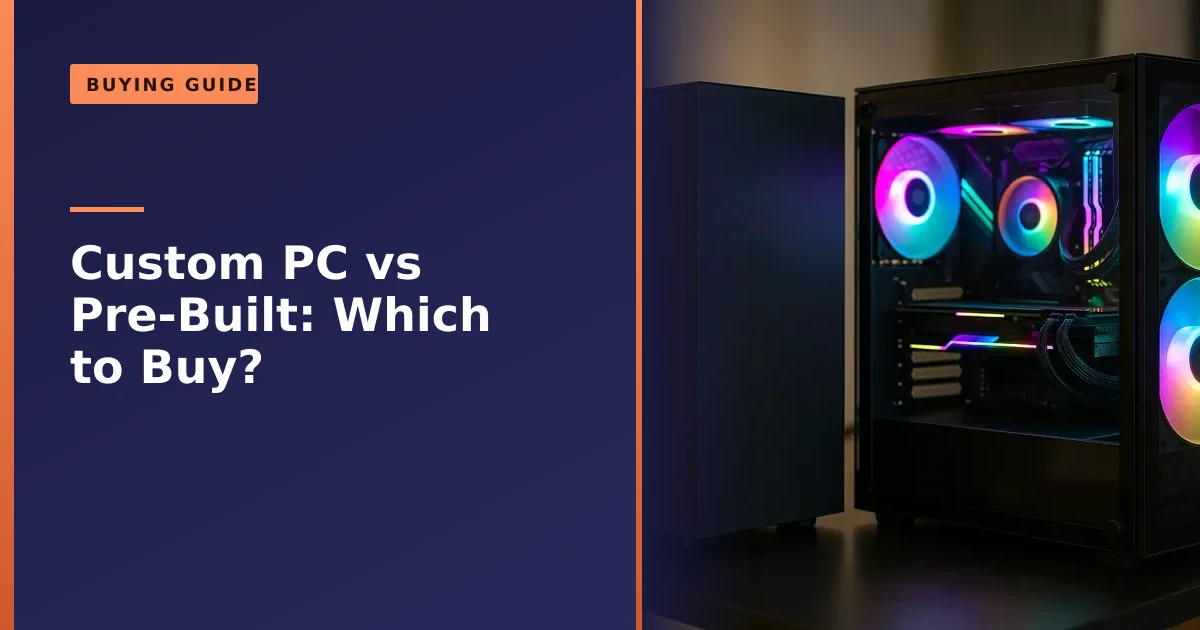
If you want the short answer, here it is. Buy a custom PC when you care about long term value, quality parts and easy upgrades. Buy a pre-built when you need something today and just want it to work. Build it yourself only if the project itself is the fun part.
That is the headline, but the honest version has more to it, because 2026 has genuinely been a strange and unusual year for PC prices and the gap between these three routes is not what it was even eighteen months ago. This guide walks through cost, part quality, warranty, upgrades, bloatware, delivery and who each option really suits, so you can spend your money once and spend it well. If a machine you already own is struggling rather than being replaced, it is also worth reading our honest take on whether to repair or replace a desktop PC before you buy anything new.
The three ways to get a desktop PC in 2026
There are really only three routes to a new desktop or gaming PC, and it helps to be clear about what each one actually means before we compare them.
- Pre-built. A finished machine you buy off the shelf or online from a big brand or retailer. You pick a model, it arrives boxed, you turn it on. Think the large manufacturers and the boxes you see in supermarkets and electronics shops.
- Custom build. A PC assembled to a specification, either by a specialist builder or by a local shop like ours. You (or an expert helping you) choose the processor, graphics card, memory, storage, cooling and case, and it is built, tested and handed over ready to use. It is bespoke, but you are not the one holding the screwdriver.
- Self-build. You buy every part separately and assemble the machine yourself at the kitchen table. Maximum control, maximum learning, and every problem is yours to solve.
People often lump the last two together as "building a PC", but they are very different experiences. A custom build gives you almost all the freedom of self-building without the time, the risk or the troubleshooting. If you are weighing up going fully hands on, our guide to the things to consider before building a new PC is a good reality check first.
What each option really costs
Cost is usually the first question, and the usual rule of thumb has been that a self-build comes in cheapest, a custom build sits in the middle, and a big brand pre-built costs the most for the same performance. Roughly speaking a pre-built has often carried a ten to twenty per cent premium over the equivalent DIY parts bill, because someone has to be paid to assemble and test it and the seller needs a margin.
In 2026 that picture got complicated. A global memory shortage, driven by manufacturers pushing production towards the chips used in AI data centres, sent DDR5 memory prices soaring, with some reports of consumer RAM roughly doubling inside a single quarter. Graphics card memory comes from the same factories, so mid range and entry level GPU prices climbed too. The knock on effect is that the big brands, who buy components in enormous bulk and often stocked up before the spike, have in some cases been able to match or even undercut a fresh parts bill on certain models. So the old "always cheaper to build" line is not automatically true this year.
What has not changed is that the sticker price is only part of the story. What you get for that price varies a lot.
Where your money goes on a typical mid range gaming PC
- Pre-built: a chunk of the price is assembly, brand, and margin, and the savings are often clawed back inside the machine with a weaker power supply, a basic motherboard and slower memory.
- Custom build: you pay a fair build fee, but nearly all of the money goes into visible, named parts you actually keep.
- Self-build: you avoid a build fee, but you carry the cost of any mistakes, and time is not free.
| Factor | Pre-built | Custom build | Self-build |
|---|---|---|---|
| Up front price | Competitive in 2026, sometimes lowest | Fair, close to parts cost plus build | Often lowest, but not guaranteed this year |
| Part quality | Variable, often cost cut inside | You choose, quality throughout | You choose |
| Hidden costs | Bloatware, weak PSU, upgrade limits | Few | Tools, mistakes, RMA postage, your time |
| Three year value | Lower | Higher | Higher if nothing goes wrong |
The takeaway is simple. Do not just compare the number on the box. Compare what is inside it, and what it will cost you to live with for the next three to five years.
Component quality: the hidden difference
This is where custom building earns its keep. Two PCs can quote the same processor and the same graphics card on the spec sheet and still be worlds apart, because the parts you never see on the marketing page are where corners get cut.
- Power supply. A cheap or underrated power supply is the classic pre-built saving. It runs the machine today, but it leaves no headroom for a stronger graphics card later, and a failing unit is a common cause of random shutdowns. If you have ever wondered about the warning signs, we cover them in our guide to the signs of a failing PSU.
- Motherboard. Budget or own brand boards in pre-builts often have limited slots, weaker power delivery and no room to grow. A custom build uses a standard board chosen to match how you will actually use the machine.
- Memory. Many pre-builts ship RAM running at its safe default speed rather than the faster tuned profile the kit is capable of, which quietly costs you performance. If you are not sure how much you need, our guide on how much RAM you need for gaming explains it in plain English.
- Cooling. Adequate on day one is not the same as quiet and cool under a long gaming session. Better cooling keeps clock speeds up and noise down, and it protects the parts you paid for.
With a custom build you decide every one of these, or you let a builder who does this daily decide with you. You end up with a machine that is balanced, where no single weak part is dragging the rest down. That balance is the difference between a PC that still feels quick in year four and one that felt slow by the end of year two. If you want the technical background on memory itself, the manufacturer Crucial keeps clear guides on speeds and compatibility.
Bloatware and the out of the box experience
Turn on a fresh pre-built from a big brand and you will often meet a crowd of software you never asked for. Trial antivirus that nags for payment, manufacturer utilities that duplicate what Windows already does, promotional apps and shortcuts, and sometimes a manufacturer updater that is more nuisance than help. None of it is dangerous exactly, but it slows the first boot, clutters the machine and takes time to strip out.
A custom build is clean. You get Windows set up properly, the drivers that actually matter, and nothing else unless you want it. That alone makes the first week with the machine calmer. It also means the security setup is honest from the start rather than a countdown to a paid trial. Microsoft's own Windows Security is built in and, kept updated, is enough for most home users without a single pop up trying to sell you anything.
When we build a PC for someone, or set up a machine they have bought, we hand it over lean and ready. No trialware clock ticking, no mystery utilities loading at startup, just the PC doing what you bought it for.
Warranty and support: one number to call, or many
This is the part people underestimate, and it is often the deciding factor once something actually goes wrong.
With a pre-built, you get a single warranty covering the whole machine. That sounds ideal, and for the first year it often is. The catch is what happens next. Some big brands use proprietary parts, boards and power supplies shaped to fit only their case, so a standard replacement will not drop in. Some warranties are voided the moment you open the case to upgrade. And when you do need support, you are often dealing with a phone queue and a courier collection to a depot far away, with the machine gone for a week or two.
With a self-build, there is no single warranty at all. Every part carries its own manufacturer warranty, which is fine until something fails and you have to work out which part is the culprit. Then you are arranging a return with that one manufacturer, paying postage, and waiting, all while your PC sits in pieces. If a part arrives dead or dies early, sorting it out is entirely your job.
A custom build from a local shop sits neatly between the two. The individual parts still carry their own manufacturer warranties, which is a genuine benefit, but you also have one local person who knows the exact machine, can diagnose which part is at fault, and can handle the replacement for you. You are not guessing, and you are not posting a heavy PC across the country. You bring it in, or we collect it.
It is worth being clear about what that repair work involves. We diagnose the fault and then replace or upgrade the part responsible, whether that is the power supply, memory, storage, graphics card, cooling, or a whole processor or motherboard swapped in as a component. We do not carry out board-level or soldering repairs. We replace the faulty part or the whole board, or we advise you on the best route. For most desktop faults that is exactly what you want anyway, because a clean part replacement is more reliable and usually cheaper than chasing a micro repair. You can read more about our approach on our PC repair service in Manchester page.
Upgradeability and future proofing
A desktop PC should grow with you. That is one of its biggest advantages over a laptop, and it is where the three routes really separate.
Custom and self-built machines use standard, off the shelf parts in a standard case, so upgrading later is straightforward. Want a stronger graphics card in two years? It drops in, assuming the power supply was chosen with that in mind, which is exactly the sort of thing a good custom build plans for. Our graphics card upgrade guide for Manchester walks through how to do that safely. More memory, a bigger or faster drive, better cooling, all easy.
Many pre-builts fight you on this. Proprietary layouts, non standard power connectors, cramped cases and warranties that discourage opening the machine all make future upgrades awkward or impossible. You can end up in the frustrating position where upgrading the pre-built later costs more than it would have to build the machine properly in the first place. That is a poor way to spend money.
- Best for upgrades: custom build and self-build, both using standard parts.
- Often blocked: big brand pre-builts with proprietary or cost cut internals.
- Quiet killer: an undersized power supply that caps what you can add later.
If future proofing matters to you, and for a gaming PC it usually should, this alone tips the scales towards a custom build.
Delivery, lead time and getting help nearby
Pre-builts win on pure speed. Order today, and a popular model can be on your desk within a couple of days. If you need a working machine right now and have no time to wait, that convenience is real and worth something.
A custom build takes a little longer, usually a matter of days rather than weeks, because the parts are gathered, assembled and properly tested before it reaches you. A self-build depends entirely on how fast the slowest part arrives and how much free time you have, and a first build realistically eats a full weekend once you factor in cable management, driver setup and the inevitable troubleshooting.
The bigger difference is what happens after delivery. A national brand delivers a box and then support means a phone line and a return label. A local custom build means the person who assembled your PC is a short journey away, or a phone call and a free collection. When your machine is your work tool or your main way to unwind, that closeness is worth a great deal. Problems get sorted in days, not lost in a depot.
There is also a quieter benefit to buying locally, which is advice before you buy. A good local builder will talk you out of overspending on parts you do not need and steer you towards the ones that actually matter for how you use the machine. A big brand configurator cannot do that, and a self-build leaves you to research it all yourself. Getting the balance right at the start, spending on the graphics card if you game or on memory and storage if you work, is where the real value is found, and a short conversation often saves far more than it costs.
Who each option suits
There is no single right answer, only the right answer for you. Here is an honest breakdown.
| You are... | Best fit | Why |
|---|---|---|
| Short on time, want it working today | Pre-built | Fastest route, no decisions to make |
| After the best long term value and quality | Custom build | Good parts throughout, easy upgrades, local support |
| Buying a gaming PC you plan to upgrade | Custom build | Standard parts and headroom to grow |
| Wanting one person who knows your machine | Custom build | Single point of local support and diagnosis |
| A confident hobbyist who enjoys the project | Self-build | Full control, and the build is part of the fun |
| On the tightest possible budget and happy to troubleshoot | Self-build | No build fee, if you accept the risk and time |
| Nervous about it going wrong | Custom build | Expert assembly and someone to call locally |
Notice how often the custom build lands as the balanced choice. That is not a coincidence, and it is not us being biased. It genuinely is the middle path that keeps the strengths of building without the two big downsides of self-building, which are risk and being your own support desk.
Why a locally built PC with local support is worth it
Let us put the pieces together, because the case for a locally built custom PC is really about the whole life of the machine, not just the day you buy it.
- Quality where it counts. Every part is chosen on merit, not to hit a price on a shelf. No mystery power supply, no bottlenecked memory, no proprietary board.
- Built and tested by hand. The machine is assembled carefully, stress tested and handed over working, so you skip the first build headaches entirely.
- Clean from day one. No bloatware, no trialware, just Windows set up properly and the machine doing its job.
- Real local support. One person who knows exactly what is inside your PC, free collection and return across Manchester, and repairs measured in days.
- Easy to upgrade. Standard parts and sensible headroom mean the machine grows with you instead of becoming a dead end.
None of that shows up on a spec sheet, which is exactly why the big brands compete on the spec sheet. The value of a custom build lives in the parts you cannot see and the support you only need occasionally but are very glad to have when you do. Consumer rights bodies such as Which? make a similar point about looking past headline prices to reliability and after sales support, and that is doubly true for something you will keep for years.
For most people in and around Manchester, that is the honest recommendation. If speed is everything and budget is tight, a pre-built will do a job. If you love the hobby, self-build and enjoy it. But if you want a machine that is quality throughout, easy to live with, easy to upgrade and backed by someone local who will actually pick up the phone, a custom build wins.
How Manchester PC can help
We build custom desktop and gaming PCs to suit how you actually use them, whether that is everyday home use, work, or serious gaming, and we set them up clean and ready to go. We also service, upgrade and repair machines you already own, from a quick memory or SSD upgrade to diagnosing a PC that will not boot. We diagnose the fault and replace or upgrade the part responsible, and we will always tell you honestly if a repair is not worth it.
We offer free local collection and return right across Manchester, so you do not need to lug a heavy tower anywhere. Call us on 0161 820 1992 for a friendly, no pressure chat about the right route for you, or request a written quote through our tech support quote page. Whether you want a machine built from scratch or help deciding between the options, we are happy to talk it through.