Key takeaways
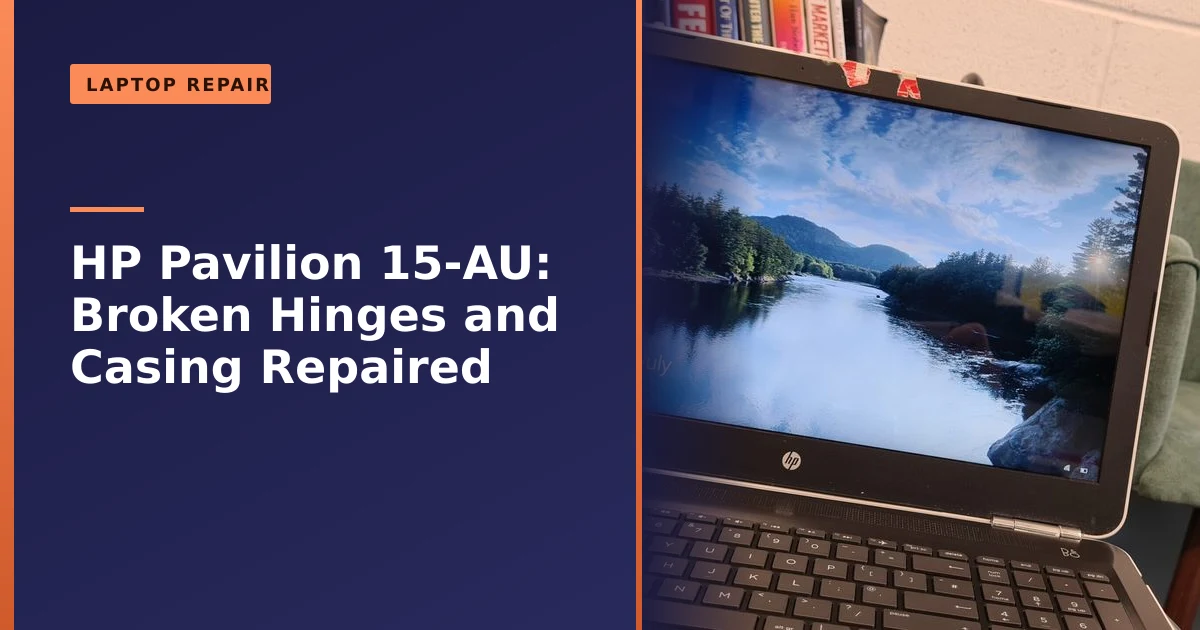
- This HP Pavilion 15-AU came to us from Hulme with broken hinges, a cracked upper casing and the screen hanging by its cable, and we fully restored it.
- Broken laptop hinges are common and almost always repairable; left alone they crack the case and can damage the screen cable.
- If your laptop screen is getting stiff or the case is splitting near the hinges, get it looked at early, before it pulls itself apart.
- The damage almost always starts inside, where the hinge bolts into thin plastic posts, long before you see a crack on the outside.
- Repairing a tired laptop like this is far cheaper and greener than replacing it, and gives it years more life.
Can a laptop with broken hinges and a cracked case really be saved? Yes. This HP Pavilion 15-AU arrived at our workshop from Hulme, Manchester in a sorry state, with a cracked upper chassis, broken hinges and the screen hanging on by just its display cable, and we restored it to open and close smoothly like new. Here is exactly what was wrong, how we fixed it, and what to do if your own laptop is starting to come apart.
What came in: a laptop close to falling apart
The HP Pavilion 15-AU was in a dire state. The upper chassis was cracked, both hinges were broken, and the screen was left hanging precariously, supported only by the delicate LCD cable. To make things worse, the WiFi antenna had been almost ripped out, and the screws were still stuck in the failed hinges. Many people would have written this laptop off as beyond repair and sent it to landfill, but there was nothing wrong with the computer itself, only the plastic holding it together.
This is a pattern we see again and again. The screen still worked. The keyboard, the battery, the processor and the storage were all perfectly healthy. The fault was entirely structural, a few pounds worth of plastic and metal failing while a fully working computer sat inside. It is a frustrating way for a laptop to reach the end of the road, and it is almost always avoidable once you understand what is happening behind the lid.
How we fixed it
We carefully disassembled the laptop and gave it a thorough internal clean, removing the dust and debris that had built up over years of use. While it was open, we applied fresh thermal paste to the processor to keep it running cool. We then sourced the correct replacement parts and rebuilt the upper chassis and hinge mountings, refitted the screen and tucked the WiFi antenna safely back into place. Finally we reassembled everything so the screen opens smoothly and securely again, and cleaned up the touchpad for a crisper click. With plenty of life left in it, the laptop went back to its owner ready for years more everyday use.
It is worth pausing on why we did more than just bolt new hinges on. By the time hinges fail this badly, the surrounding plastic is usually cracked too, so simply fitting fresh hinges to a broken mount would have failed within weeks. The proper fix is to rebuild the mounting points so the hinges have something solid to anchor into again. Opening a laptop right up is also the ideal moment to clean out years of dust and refresh the thermal paste, because the machine is already apart and those few extra minutes can shave several degrees off the running temperature. You get a laptop that not only closes properly but also runs cooler and quieter than it has in a long time.
How a laptop hinge is actually built
To understand why hinges fail, it helps to know how they are put together. A laptop hinge is a small, stiff metal bracket. One arm bolts to the lid, behind the screen, and the other arm bolts down into the base, near the keyboard. The metal itself is strong and rarely the part that breaks. The weak link is what the metal bolts into.
In most consumer laptops, those screws do not go straight into the plastic. They thread into tiny brass inserts, sometimes called bushes, that are set into moulded plastic posts inside the case. According to the non-profit repair community guide at the Restarters Wiki, these mounting points often grip only the tiniest amount of plastic, which means a very small area is taking all the force every time the lid moves. Every time you open or close the screen, the stiff metal hinge twists against those small plastic posts. The posts are doing a hard job in a very small space.
Why laptop hinges break, and why it matters
Broken hinges are one of the most common laptop faults we see, and the cause is usually simple wear. Over hundreds of opening and closing cycles, the metal hinges stiffen, and the plastic mounting points inside the case, which are often surprisingly thin, slowly crack under the strain. Once that happens, every open and close puts more stress on the case, and on the fragile cables that run through the hinge to the screen.
There is a clear sequence to it. The hinge gradually gets stiffer with age, so it takes more force to move. That extra force goes straight into the small plastic posts. Tiny stress fractures form around the screw holes, then spread a little further with each use. Eventually a post cracks through, the brass insert works loose, and the hinge is no longer firmly anchored. From that point the failure speeds up fast, because a half-attached hinge twists and levers against whatever plastic is left, splitting the casing wide open. By the time most people notice, the damage inside has been building quietly for months.
A few everyday habits make it worse. Opening the lid from one corner with a single hand throws all the force onto one hinge instead of sharing it between two. Pushing the screen back past its natural stopping point strains the mechanism. Picking the laptop up by the screen, or carrying it open in one hand, puts a twisting load on the hinges they were never designed to take. None of these will break a hinge on their own, but repeated over years they bring failure forward.
That is why a stiff hinge or a small split in the case near the screen is worth acting on early. Catch it soon and it is a straightforward repair; leave it and a broken hinge can crack the whole casing, tear the display cable, or even crack the screen itself, turning a small job into a big one. Looking after your laptop helps too, as our laptop care guide explains, but hinges do eventually wear regardless, and they are very fixable.
The warning signs your hinge is failing
The good news is that a failing hinge almost always warns you first. The earlier you spot the signs, the smaller and cheaper the repair. Here is what to watch and listen for:
- A creaking, grinding or popping sound when you open or close the lid. This is often the very first sign, and it means the hinge is no longer turning smoothly, or that cracked plastic is rubbing where it should not.
- One side feeling stiffer than the other. If the lid resists more on the left or the right, one hinge is likely doing more than its share, often because the other is already starting to give.
- The screen will not hold its angle. If the lid slowly droops shut on its own, or flops back too easily, the hinge tension has weakened.
- A gap or lift appearing between the screen bezel and the case, or between the keyboard surround and the base, usually near a bottom corner of the screen.
- The case flexing or clicking near the hinges when you open the lid. That movement is the plastic mount giving way under the strain.
- Visible cracks in the plastic around either hinge. By this stage the mounting posts inside are almost certainly already damaged.
If you notice any of these, stop forcing the lid and have the laptop looked at. A hinge caught at the creaking stage is a far smaller job than one caught after the case has split.
Why acting early saves you money
It is tempting to live with a stiff or slightly loose hinge, because the laptop still works. The problem is what is hidden behind the hinge. Running through that channel is the display cable, the thin ribbon that carries the picture to your screen, along with the WiFi antenna wires, which on most laptops run up into the lid. On this HP Pavilion, the antenna had already been nearly torn out.
When a hinge breaks and the screen starts to move in ways it should not, those cables get pinched, stretched and chafed. A torn display cable can mean a flickering screen, lines across the picture, or no image at all. Push it further and the screen panel itself can crack. So a job that began as a worn hinge, which is inexpensive to put right, can grow into a hinge, a casing, a cable and a screen all at once. The single biggest thing you can do to keep a hinge repair small and affordable is simply to act before the screen starts hanging loose. If a flickering or cracked panel does become part of the picture, our laptop screen repair service can handle that side of things at the same time.
How a proper hinge repair works, step by step
People often picture hinge repair as gluing a bracket back on. A repair that lasts is more involved than that, and most of the work is in the part you never see. Here is roughly how we approach a job like this Pavilion:
- Full diagnosis first. We open the laptop and check the real extent of the damage. The visible crack is rarely the whole story; we look at both hinges, the mounting posts, the cables and the screen housing.
- Careful disassembly. The screen, keyboard surround and base are separated slowly so that fragile cables and connectors are not strained further. Knowing the exact laptop model number matters here, because it tells us precisely which parts to order.
- Sourcing the right parts. We fit the correct hinges and, where needed, the correct replacement casing parts for that specific model, rather than forcing a near-enough part that will not sit properly.
- Rebuilding the mounts. This is the crucial step. Where the plastic posts have cracked, they have to be rebuilt or reinforced so the hinge has something solid to bolt into. Depending on the damage that can mean replacing the chassis part, reinforcing the area, or in lighter cases re-seating the brass inserts.
- Refitting screen and cables. The display cable and antenna wires are routed back into their proper channels and clipped down so they are not trapped by the hinge.
- Reassembly and testing. Everything goes back together, and we open and close the lid through its full range to check the tension is even and the screen holds any angle.
While the laptop is apart, it makes sense to deal with anything else that benefits from access, such as an internal clean, fresh thermal paste, or a quick storage health check. That is why on this machine we also refreshed the paste and tidied up the touchpad. It is the same logic that applies to any deeper repair: do the related housekeeping while the case is already open.
Can you fix a laptop hinge yourself?
You will find plenty of videos showing a hinge fixed with two-part epoxy or glue, and for a very early, very minor crack that can buy some time. But there is an important reason it usually fails. A hinge does not pull straight out; it twists. Glue and epoxy are reasonable at resisting a straight pull but poor at resisting that twisting, shearing force, which is exactly what a hinge applies thousands of times. The Restarters Wiki guide is honest about this, noting that even with good epoxy it is very hard to make the repair last, because there is so little plastic to work with and the hinge carries so much stress.
There is a second risk that catches people out. Opening a laptop without the right tools and care can tear the display cable or snap the small plastic clips that hold the case together, which adds to the bill rather than reducing it. Static can also damage components if you are not careful. A DIY epoxy patch can be a sensible holding measure on a tiny crack while you book a proper repair, but for broken posts, a split case or a screen that is already moving, it is usually false economy. Rebuilding the mount properly is what makes the fix last.
Why HP Pavilions and other budget laptops are prone to this
This is not really a story about one laptop having bad luck. The HP Pavilion range is popular and good value, but like many mainstream consumer laptops it uses a largely plastic chassis, and the hinges anchor into that plastic rather than into a metal frame. HP's own support forums carry a steady stream of reports of Pavilion hinge and casing problems, where the plastic around the screen cracks or detaches near a bottom corner. The pattern is consistent: a stiff hinge, a fixing that grips only a small area of plastic, and a chassis that flexes under the load until the plastic gives way.
None of this makes the Pavilion a bad laptop. It is a sensible, affordable machine, and the very thing that keeps the price down, lightweight plastic construction, is also what makes the hinges vulnerable over years of use. The same applies to many budget and mid-range models from other brands. More expensive laptops with aluminium or magnesium-alloy bodies tend to anchor their hinges into metal and resist this failure for longer, but they cost a good deal more and are not immune either. We see plenty of other HP models through the workshop too, from the Pavilion 15-EH to business machines like the EliteBook, and the same principle holds: a fault in the case is no reason to scrap a working computer.
How to prevent hinge damage
You cannot stop hinges ageing completely, but a few simple habits genuinely slow the wear and can add years before a repair is ever needed:
- Open with two hands. Support the base with one hand and lift the lid with the other, ideally from the centre, so the force is shared evenly between both hinges instead of being loaded onto one corner.
- Do not force a stiff lid. If the screen suddenly feels harder to move, that is a warning, not something to push through. Forcing it accelerates the damage.
- Never carry or lift the laptop by the screen. Always pick it up by the base. Lifting by the lid puts a twisting load straight onto the hinges.
- Do not push the screen past its natural stop. Open it to a comfortable angle, not as far back as it will physically bend.
- Keep weight off a closed lid. Stacking books or other kit on top stresses the hinges and the screen.
- Use a padded sleeve or bag. Knocks in transit are a common trigger for cracks that only show up later.
- Keep the hinge area clean. Dust and grit work into the mechanism over time. A gentle clean now and then, as covered in our laptop care guide, helps it stay smooth.
Doing all of this will not make a laptop last forever, but it spreads the load and keeps the lid moving freely, which is exactly what the small plastic mounts need to survive a long life.
Repair or replace?
It is tempting to assume a laptop in this state is finished, but as our guide on repair versus replace explains, a few broken plastic parts are no reason to scrap an otherwise healthy machine. Repairing it cost a fraction of a replacement and kept a perfectly good computer out of landfill, exactly the kind of restoration we believe in as part of the right to repair.
The maths is usually straightforward. A hinge and casing repair fixes the one thing that is broken and leaves you with a laptop you already know and that already has your software, files and settings on it. Buying new means spending several times more, then setting everything up again from scratch. The only times replacement makes real sense are when the computer inside is genuinely too slow or too old to be worth it, or when the cost of parts approaches the value of the machine. We will always tell you honestly which side of that line your laptop falls on. If a faster machine really is the better call, we can often give the existing one a new lease of life instead with an SSD or memory upgrade.
There is a bigger picture too. Electronic waste is one of the fastest-growing waste streams in the world, and far too many laptops that fail on a small plastic part are thrown away with a perfectly good computer inside, as the overview on electronic waste sets out. Every laptop we rebuild instead of replace is one less machine in landfill and one less new device that needed manufacturing. Repairing is almost always the cheaper choice and the greener one at the same time.
What a hinge repair costs and how long it takes
The honest answer is that it depends on the model and on how far the damage has spread, which is why we quote each job rather than guess. A few things move the price:
- How early it is caught. A hinge sorted at the creaking stage is the smallest job. Once the case has split and a cable or screen is involved, more parts are needed.
- Parts availability for the model. Hinges and casing parts for common laptops are usually easy to source; older or unusual models can take a little longer.
- Whether other damage is present. A torn display cable or cracked screen adds to the work, though it is efficient to do it all in one visit while the laptop is open.
What stays the same is the approach. We give you a free, no-obligation quote before any work starts, so you know exactly where you stand, and we will tell you plainly if a repair is not worth it. If you want a rough idea before you get in touch, our guide on how much it costs to fix a laptop gives a sense of the typical range, and our wider laptop repair page explains how we work.
Should you back up before bringing it in?
A hinge or casing repair does not touch your data; we are working on the structure, not the storage. Even so, it is always sensible to keep a recent backup of anything you cannot afford to lose, because a backup protects you against all sorts of mishaps, not just a repair. If you are unsure how, our guide on whether to wipe a computer before repair and our computer backup service can help you get one in place quickly. You do not need to wipe the laptop for a hinge job, and you should not feel you have to hand it over without your files safe somewhere.
How Manchester PC can help
If your HP or any other laptop has broken hinges, a cracked case or a wobbly screen, we can repair it. We diagnose the fault, source the right parts and rebuild it properly, often saving you the cost of a new machine.
We cover Manchester and the surrounding areas with free local collection and return, fair pricing and honest advice, we will always tell you when a repair is not worth it rather than push one. For an HP laptop repair or any computer repair, get a free, no-obligation quote or call us on 0161 820 1992.