Key takeaways
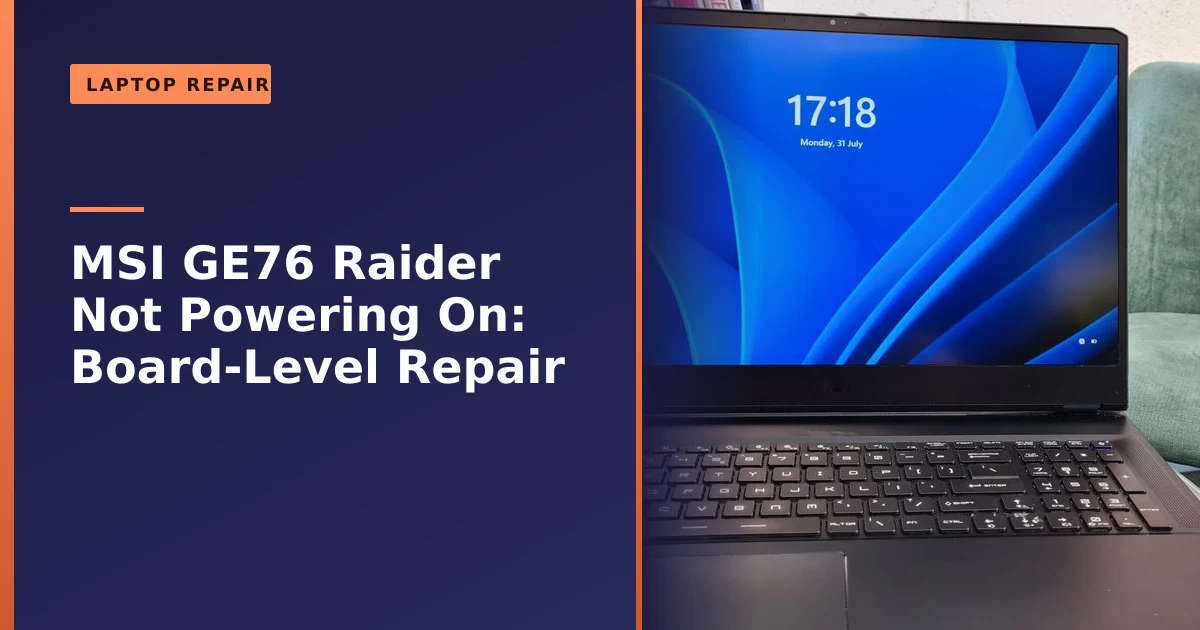
- This MSI GE76 Raider gaming laptop from Sale would not power on, even though the charger seemed fine.
- We diagnosed the no-power fault methodically and traced it to a faulty (non-UK) power lead that was not supplying power correctly.
- Fitting a proper fused UK power cord restored power and the laptop booted perfectly.
- A no-power fault is often something simple like a lead, a port or a small component, so it is well worth diagnosing before assuming the motherboard is dead.
- Where a fault is traced to the board itself we replace the relevant part or the whole board, or advise the most cost-effective route; we do not carry out board-level or soldering repairs.
- A non-UK or counterfeit power lead is not just useless, it can be a genuine fire and shock risk, which is one reason a proper fused UK cord matters.
Gaming laptop won't power on, even though the charger seems fine? The problem can be as simple as the lead that feeds it, or as hidden as a fault on the board. This MSI GE76 Raider came to us in Sale, Manchester, completely dead. The fix came down to careful diagnosis and a proper power lead. Here is how we tracked it down, and what it teaches you about any laptop that refuses to switch on.
What came in: a dead gaming laptop
The MSI GE76 Raider is a powerful gaming laptop, and its owner relied on it for work and gaming alike. It had simply stopped powering up, and the owner was confident the charger itself was not the problem. We collected it and got to work diagnosing why a high-end machine would show no signs of life.
It helps to understand what this class of laptop actually is. The GE76 Raider is a desktop replacement, built around a high-wattage Intel Core i9 processor and a discrete NVIDIA GeForce RTX graphics card, cooled by MSI's Cooler Boost system. Machines like this ship with a 280W power adapter (rated around 20V and 14A), because the components inside can draw enormous amounts of current under load. That matters here, because the more power a laptop pulls, the harder its internal power circuitry has to work, and the more stress lands on the small components that condition and smooth that power. A laptop that simply browses the web treats its power rails gently. A gaming laptop hammers them.
How we fixed it: tracing the fault to the power lead
Our initial inspection found that power was not actually reaching the laptop, and the cause was the power lead: a non-UK lead that was not supplying power correctly. Replacing it with a proper fused UK power cord restored power to the charger side of things, an easy but genuine win. We did not simply stop there. With a fault like this it is tempting to swap the obvious part and hand the machine straight back, so we ran a full diagnosis to confirm the board itself was healthy and nothing deeper was wrong. Once we were satisfied, we reassembled the laptop carefully and powered it up, where it sprang back to life, good as new and ready for demanding games again.
It is worth pausing on why we did not simply assume. A less thorough repairer might have changed the lead, seen a light and hoped for the best. We prefer to be certain, because a no-power symptom can have more than one cause, and the only way to be sure you have found the real one is to check each link in the power chain in turn. That is the difference a proper diagnosis makes, and it is why we could hand this machine back with confidence rather than a fingers-crossed guess.
No power at all? First work out what "dead" actually means
"It won't turn on" covers a surprising range of different faults, and pinning down exactly what the laptop does (or does not) do is the single most useful thing you can do before anyone touches it. When you press the power button, watch and listen carefully for any sign of life:
- Completely dead: no lights, no fan spin, no sound at all, even with the charger plugged in. This points at the power getting into the machine, the charging port, or the power circuitry on the board, which is exactly the category our GE76 fell into.
- Charger light but nothing else: the brick's LED glows but the laptop itself does nothing. This often means power reaches the adapter but not the board, suggesting the DC jack, internal cabling or a fault on the board.
- Lights or fans for a second, then off: the laptop tries to start and immediately shuts down. This is a "power good" failure, where the board starts but a rail is out of tolerance and protection circuits cut in.
- Powers on but black screen: fans spin and lights come on but you see nothing. That is usually a display, graphics or memory fault rather than a power fault, and is a different job entirely.
Telling these apart at home costs nothing and saves time. If you ring us, describing exactly what happens when you press the button helps us bring the right tools and set the right expectations. A truly dead machine and one that flashes and dies are very different stories underneath.
The power chain: from the wall socket to the motherboard
To understand why a laptop will not power on even with a "working" charger, it helps to picture the journey electricity takes. There is a chain of links between your wall socket and the processor waking up, and a break or weakness at any point produces the same outward symptom: nothing happens.
- The mains lead and plug: the detachable cord (often a figure-of-eight or three-pin kettle-style lead) that carries mains power to the adapter. A damaged, wrong-voltage or non-UK lead can stop power before it even reaches the brick, as we found here.
- The power adapter (brick): converts mains AC down to the low-voltage DC the laptop uses, around 19V to 20V on most machines. Bricks fail internally, and a faulty one can output the wrong voltage or nothing at all.
- The charging port (DC jack): where the adapter plugs into the laptop. Years of plugging and unplugging can crack the solder joints that hold the jack to the board, so power flickers or stops.
- The board's power circuitry: once inside, the voltage passes through charging chips, MOSFETs, inductors and capacitors that regulate, switch and smooth it into the various rails the laptop needs. A single failed component here, such as a shorted or burnt-out capacitor, can stop the whole machine.
- The battery: a completely dead or faulty battery can sometimes prevent a start, which is why testing on the adapter alone (battery removed, where possible) is a standard diagnostic step.
Because the symptom is identical no matter which link fails, you cannot guess your way to the answer. You have to test each link in turn, which is precisely how we traced this fault to the lead and confirmed the rest of the chain was sound. If you want to read more about the charging side specifically, our guide on a laptop that will not charge walks through the port and battery in more detail.
How we diagnose a no-power laptop, step by step
Every workshop has its own routine, but a sound no-power diagnosis follows the same logic: work along the power chain from the wall inwards, confirming each link before moving deeper. Here is the approach we take, which you can partly mirror at home with the safe, non-invasive steps.
- Confirm the obvious first: try a known-good socket, a different mains lead and, if available, a different compatible adapter. This is also how we caught the faulty non-UK lead early.
- Check the adapter output: with a multimeter we measure the brick's DC output to confirm it is delivering the correct voltage. A reading that is low, missing or unstable condemns the adapter.
- Do a power drain (hard reset): disconnect the charger, remove the battery if it is removable, and hold the power button for around 30 seconds to clear residual charge. This safely fixes a surprising number of "dead" laptops and costs nothing.
- Test on adapter alone: where the battery is removable, try starting on the adapter only. If it lives, the battery is the suspect.
- Inspect the charging port: we check for a loose or wobbly jack, debris, and cracked solder joints, gently flexing while watching for any flicker of life.
- Open up and inspect the board: under magnification we look for physical damage, scorching, bulging or burnt components, and signs of liquid or corrosion. This is the stage where any fault on the board itself would show up.
- Measure the rails: using the multimeter (and on tougher faults a thermal camera or bench supply) we trace where voltage is present and where it stops, narrowing the fault to a specific area or component.
The early steps are safe to try yourself. Opening the machine, probing the board and soldering are not, both because of the risk to you and the risk of turning a small, cheap fault into an expensive one. If the safe steps do not revive it, that is the point to hand it to someone with the right kit.
What a capacitor is, and why one can fail
One component people often ask about is the capacitor, because a failed one is a common cause of no-power faults on a laptop board, so it is worth explaining what it actually is. A capacitor stores and releases small amounts of electrical charge, and on a laptop board its main jobs are to smooth out the power supply and filter electrical noise so the sensitive chips receive clean, steady voltage. On the input side of the power circuitry, capacitors on the main power rail help buffer the supply coming in from the adapter. They are small, but they are doing important work, constantly.
Capacitors fail for well-understood reasons. According to the documented capacitor plague, electrolytic capacitors can fail when heat, ripple current, overvoltage or a poor electrolyte formula cause the electrolyte inside to break down and vaporise, building up gas pressure. The classic visible signs, also described by iFixit, are a bulging or split top vent, the casing sitting crooked, and rust-coloured electrolyte leaked onto the board. In a gaming laptop, two factors make capacitor stress worse: the high currents these machines draw, and the heat trapped in a slim, densely packed chassis. Heat is the enemy of electrolytic capacitors, and a gaming laptop runs hot by design.
There is a useful lesson hidden in this. A failed capacitor does not always announce itself with dramatic symptoms. Sometimes it causes random freezes or restarts as it gradually degrades, which we cover in our guide on random crashes and restarts. Other times it simply fails and the machine goes dark. Either way, the value is in an accurate diagnosis, because knowing exactly what has failed is what lets you make the right call about how to put it right, rather than guessing.
Why a laptop won't power on, and how we handle board faults
When a laptop shows no signs of life, there is a chain of possible causes between the wall socket and the machine starting: the power lead and charger, the charging port, and then the power circuitry on the motherboard itself. A methodical approach checks each link, which is how we found the faulty lead on this GE76 and confirmed the board was sound.
The important point is that a no-power fault often comes down to something small and cheap, like a lead or a port, rather than the whole motherboard being dead. Many repairers would simply quote for a full motherboard replacement, or write the laptop off, when a precise diagnosis can save a high-end laptop for a fraction of that cost. Where the fault is traced to the board itself, we replace the relevant part or the whole board, or advise the most cost-effective route; we do not carry out board-level or soldering repairs. If your laptop will not turn on, our experience shows it is well worth a proper diagnosis before assuming it is finished.
To be clear about what that means in practice: we diagnose the fault precisely, then fix it at the cheapest effective level. That might be a new power lead, a charging port, a battery or another replaceable part, or swapping the whole board where that is the sensible route. Where a repair would need component-level soldering on the board, we are honest that this is not something we offer, and we will advise you on the best option rather than pretend otherwise. We applied the same careful, diagnosis-first approach when we got an HP 840 G6 that would not turn on back up and running.
Repairing the fault versus a new motherboard: the real picture
The decision that matters most to your wallet is whether a targeted repair will do, or whether the whole board needs replacing. Here is how the two routes compare in practice.
| Factor | Targeted repair or part replacement | Full motherboard replacement |
|---|---|---|
| What happens | The specific faulty part (lead, port, battery or module) is replaced, or a board fault is diagnosed and the best route advised | The whole motherboard is swapped for a new or used one |
| Part cost | Often very low, especially for leads, ports and other replaceable parts | High; boards for premium gaming laptops can be a large share of the laptop's value |
| Main cost driver | Diagnostic time and skilled labour | The board itself, plus fitting |
| Availability | No need to wait for a rare board to ship | Can mean long waits or hunting for second-hand boards on older models |
| Environmental impact | Lower; keeps the existing board in service where possible | Higher; a large part is scrapped |
| Best when | The fault is a discrete, replaceable part or an easily identified issue | The board has widespread damage, severe liquid corrosion or a fault that cannot be put right without replacement |
A targeted repair is not always possible. If a board has suffered widespread liquid damage, or the damage is to fine internal traces or a chip that cannot be sourced, replacing the board may be the only realistic route. Where a fault sits on the board and would need component-level soldering, we do not carry that work out ourselves; instead we replace the relevant part or the whole board, or advise the most cost-effective option honestly. The skill is in knowing which situation you are in, and being straight with you about it. For our GE76, the fault turned out to be the power lead, which was the cheapest possible fix. If you want a sense of typical pricing, our page on how much it costs to fix a laptop sets out how we approach quotes.
Saving a high-end laptop
A premium gaming laptop like the GE76 is a significant investment, so the difference between a simple repair like a new power lead and a full motherboard replacement, or a new laptop, is huge. Diagnosing and fixing the real fault is exactly the kind of work that makes repair so worthwhile, both for your wallet and for keeping good kit out of landfill.
There is a wider point here too. High-end laptops are built with quality components and plenty of performance headroom, which means a five-year-old flagship can still outpace a brand-new budget machine. Writing one off over a fault that turns out to be a lead, a port or another replaceable part is rarely the right call. Repairing it keeps a capable, expensive piece of equipment in use for years longer, which is better value and far better for the environment, a principle at the heart of the wider right to repair movement. When a fix is genuinely not worth it we will tell you, but a no-power fault on a good machine usually is. Our guide on repair versus replace explains how we weigh that up.
Why gaming laptops are especially demanding on power and cooling
This repair is a useful window into why gaming laptops fail differently from ordinary ones. A machine like the GE76 packs desktop-class performance into a thin shell, and that creates two intense pressures: power and heat.
On power, a 280W adapter is not there for show. Under heavy load the processor and graphics card can together draw a large, fluctuating amount of current, and the board's power circuitry has to deliver it cleanly and instantly. Components on a power rail in a gaming laptop simply work harder than the equivalent parts in a laptop used for email and spreadsheets.
On heat, all that power becomes warmth that has to go somewhere. Gaming laptops use elaborate cooling, multiple heat pipes, large fans and vents, to shift it, but the inside of the chassis still runs hot. Sustained heat is one of the main things that shortens the life of electrolytic capacitors and stresses solder joints over time. This is why good cooling maintenance matters so much on these machines: keeping vents clear and refreshing thermal paste reduces the heat that ages components, something we cover in our guide to thermal paste. A cooler laptop is a longer-lived laptop.
Why a non-UK power lead is a genuine safety issue
The faulty lead on this GE76 was more than an inconvenience, and it is worth understanding why a proper fused UK cord matters. UK mains plugs follow the BS 1363 standard, and one of its defining features is the fuse built into the plug. As the BS 1363 standard explains, that fuse (made to BS 1362) is there to protect the flexible cable between the plug and the appliance, so it blows before an overloaded or faulty flex can overheat and become a fire hazard. UK plugs also use insulated line and neutral pins and a longer earth pin that opens the socket shutters, all designed to make them among the safest plugs in the world.
A non-UK lead, or a cheap imported one, may not have a correctly rated fuse, may use thinner conductors than the appliance needs, and may not meet UK safety regulations at all. With a high-wattage device like a gaming laptop charger, that is exactly the situation where a missing or wrong fuse matters most, because the cord is carrying real current. Fitting a proper fused UK cord was not just about making the laptop work again, it removed a real risk from the customer's home.
How to choose a safe replacement charger or lead
Chargers and leads get lost, damaged and replaced, and the replacement market is full of fakes. According to Electrical Safety First, counterfeit and substandard chargers frequently lack proper safety components and present a higher risk of fire or electric shock, so it is worth knowing what to look for. When you need a replacement:
- Buy genuine or buy from a reputable supplier: a manufacturer-branded charger or a known, trusted retailer is far safer than the cheapest listing on a marketplace.
- Match the specification exactly: the voltage and wattage must match your laptop. A gaming laptop that expects 280W will not run properly on a generic low-wattage adapter, and an under-rated charger runs hot.
- Check the build quality: genuine chargers have neat, matt, well-finished pins, clean printing with no spelling errors, and a reassuring weight. Glossy pins, sloppy markings and a suspiciously light feel are warning signs of a fake.
- Use a proper fused UK lead: make sure any detachable mains lead is a genuine UK three-pin type with the correct fuse, not an imported substitute or a travel adapter bodge.
- Inspect regularly: retire any charger or lead with cracked casing, frayed cable, scorch marks or a burning smell, and never leave a damaged one in use.
A good charger is cheap insurance. A bad one can damage your laptop, waste your money, or start a fire, so this is one area where it genuinely pays not to cut corners.
When a no-power repair is not worth it
We always tell people the truth, including when a repair does not make sense. A repair is usually excellent value on a good machine, but there are cases where replacement is the wiser choice:
- Widespread liquid damage: a drink spilled across a board can corrode many components and traces at once, which can push repair costs past the value of the laptop.
- Unrepairable trace or chip damage: if the damage is to fine internal layers of the board or to a chip that cannot be sourced, replacement may be the only honest option.
- Low-value machines: on an old, low-spec laptop, the diagnostic and labour cost may simply not be justified against the price of a better replacement.
- Multiple unrelated faults: when a tired machine has a failing battery, a cracked screen and a power fault all at once, the sums can tip towards replacing it.
The good news is that a premium gaming laptop with a straightforward power fault, exactly like this GE76, sits firmly on the "worth fixing" side of that line. The only way to know for certain is a proper diagnosis, which is why we quote up front before any work begins.
Common mistakes people make with a dead laptop
Over the years we have seen the same avoidable mistakes turn small problems into bigger ones. A few worth knowing:
- Repeatedly forcing the power button: hammering the button rarely helps and can mask what the machine is actually doing. Press it once, watch and listen.
- Buying the cheapest charger online: a fake or wrong-wattage charger can fail to fix the problem and create a new one, including a safety risk.
- Assuming a dead laptop means lost data: a no-power fault usually leaves the storage drive untouched, and your files can normally be recovered even if the laptop never runs again. If the worst happens, our data recovery service can help.
- Writing off an expensive laptop too soon: the most common mistake of all is throwing away a high-value machine over a fault that turns out to be a single cheap part.
- DIY board work without the right tools: probing or soldering a board without experience can turn a small fault into a scrapped board. The safe home steps end at a power drain and a charger swap.
How Manchester PC can help
If your laptop will not power on, we can diagnose the real cause, from the power lead and charging port to faults on the board itself, and fix it at the cheapest effective level rather than quoting for a whole new motherboard. Where a fault is traced to the board, we replace the relevant part or the whole board, or advise the best route; we do not carry out board-level or soldering repairs. We quote up front.
We cover Manchester and the surrounding areas with free local collection and return, fair pricing and honest advice, we will always tell you when a repair is not worth it rather than push one. For an MSI laptop repair, a wider laptop repair or any computer repair, get a free, no-obligation quote or call us on 0161 820 1992.